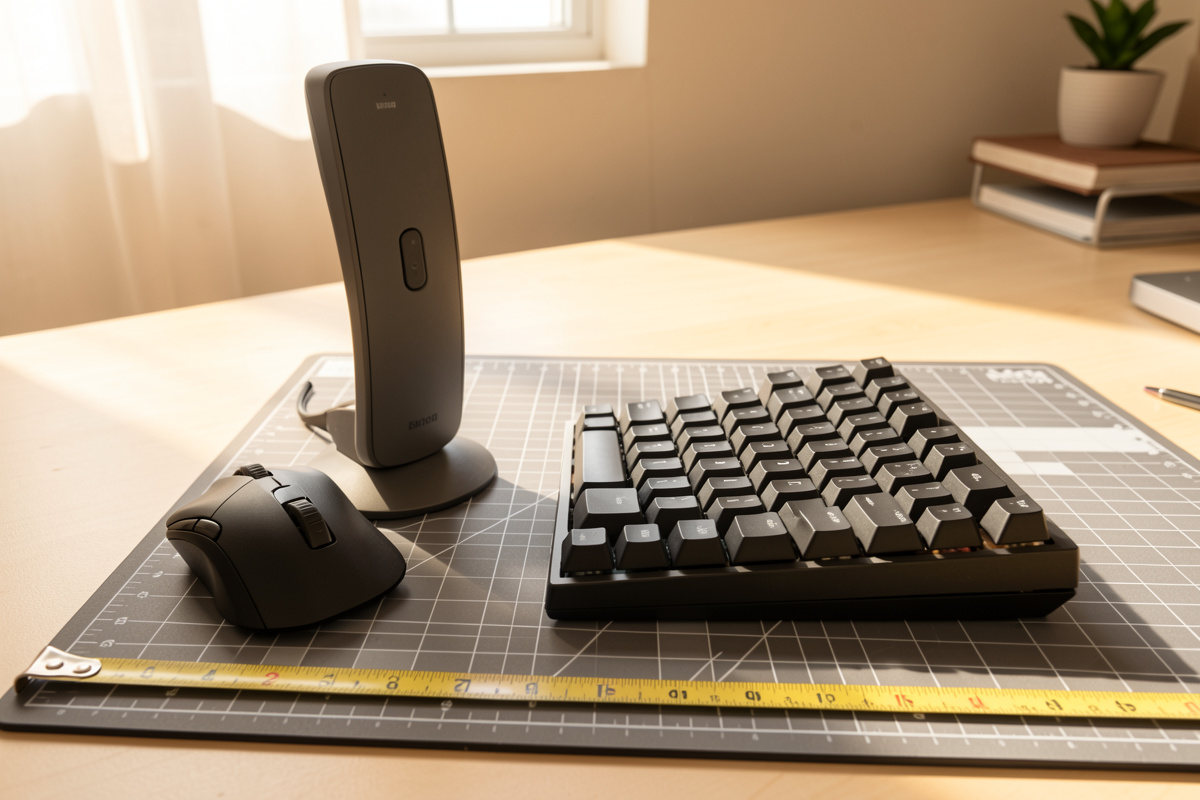

Bottom line up front: the biggest comfort change you can make to your mouse costs nothing – pull it in next to the keyboard so your elbow stays near your side, and size the device to your measured hand – compact under about 17 cm of hand length, large over 19 cm. Spend on “ergonomic” only after those two are right.
I keep a setup log for every workstation I build, and the mouse line in that log has cost me more in returns than any other accessory. Not because good ergonomic mice are bad, but because I kept buying shape before I’d measured the two things that actually drive shoulder load and wrist twist: where the mouse sits relative to my centreline, and whether the body fits my hand. This guide is the order I wish I’d followed.

Start with the free lever: mouse-to-centreline distance
Before any purchase, fix placement. The further your mouse sits from your body’s centreline, the more your shoulder has to hold the arm out to the side. That static hold is the fatigue most people blame on the mouse itself. It is the cheapest thing to correct.
In my setup log the single repeatable win was moving the mouse inward until my elbow stayed roughly under my shoulder, not winged out. I measured the width to my mouse from the keyboard edge and kept narrowing it. On a full-size keyboard the number pad pushes the mouse far right; that distance is the hidden cost of a keyboard you may not even use the numpad on.
Two placement moves do most of the work. First, a tenkeyless or compact keyboard lets the mouse live just to the right of the letters, cutting the reach by the width of the number pad. Second, on a tight desk, sliding the keyboard slightly left of monitor centre lets both hands sit closer to your shoulders. I cover the geometry of this in detail in my guide to mouse position for desk work and the broader keyboard and mouse position guide. Get those right and you may find you don’t need a new mouse at all – you needed a closer one.
Measure your hand: the spec nobody sells on
Mouse listings shout about DPI, polling rate and RGB. They almost never tell you the one number that decides comfort: does the body fit your hand. A mouse too small for a large hand forces a cramped claw; one too large for a small hand drags the palm and tires the grip.
Measure two dimensions with a ruler. Hand length runs from the base crease of your wrist to the tip of your middle finger. Hand width is across the knuckles, not including the thumb. Write both in your log. As a rough working split: under about 17 cm length tends to suit small or compact mice; 17 to 19 cm is the broad mid-range most mice are built for; over 19 cm wants a large body or you’ll be gripping the front edge.
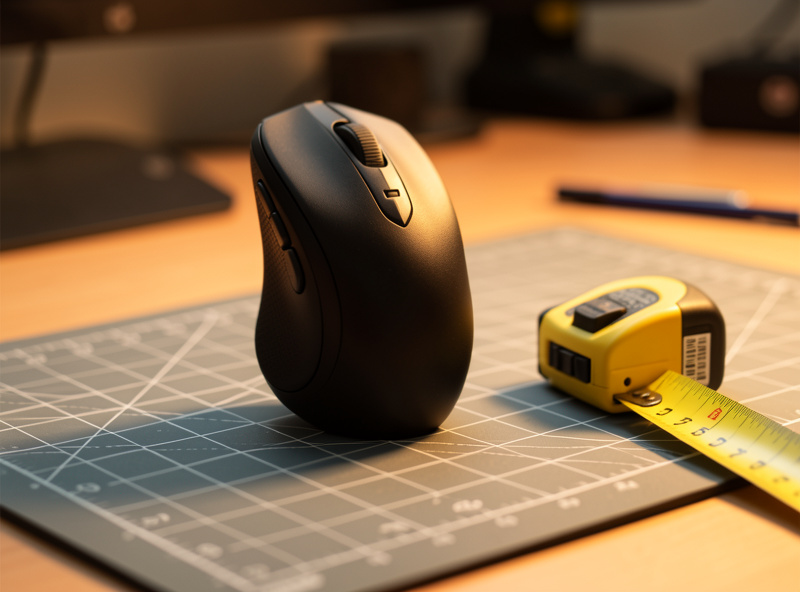
These bands are mine, taken off my own measurements and the mice I’ve owned – treat them as a starting filter, not a rule. The point is that two people with identical taste in shape will want different sizes, and the listing won’t help you. Measure first, then shop.
Grip style decides shape more than reviews do
How you hold a mouse changes which shape will suit you. There are three common grips, and knowing yours filters out most of the catalogue before you read a single review.
Palm grip rests the whole hand on the body, fingers laid flat. It wants a taller, filled-out shell that supports the palm. Claw grip arches the fingers with the palm rear touching down; it suits a shorter hump and a defined back edge. Fingertip grip floats the palm entirely, steering with finger tips; it favours a smaller, lighter body you can flick.
I’m a palm-grip person, so tall sculpted shells fit me and flat low mice make my fingers cramp within an hour. None of that shows up in a star rating. Identify your grip honestly – hold your current mouse and notice where your palm sits – and you’ve narrowed the field far faster than any review score will.
Vertical “handshake” mice: what they actually change
A vertical mouse rotates your hand into a neutral handshake grip, thumb up, so the forearm doesn’t roll inward. That inward roll is the wrist twist – ulnar deviation in clinical language, but think of it simply as your forearm being rotated palm-down all day. The vertical body reduces that rotation.
Here is the honest part. The neutral handshake grip is genuinely more relaxed for the forearm, and after three months on one I stopped noticing my wrist angle at all. But there is an adjustment cost: precise pointing gets worse for the first week or two because you steer more from the shoulder and elbow than the fingertips. Fine cursor work – photo editing, CAD – takes longest to come back.
Vertical mice also tend to be tall, which can push the mouse slightly further from centreline because of the wider base. So the placement lever from the first section matters even more here. If you want to try the category, the realistic search is a vertical ergonomic mouse in your measured hand size. My verdict: worth trying if your forearm rolls hard palm-down on a flat mouse, but go in expecting a fortnight of clumsiness, not an instant fix.
Trackballs: killing arm travel on a tight desk
A trackball stays put and you move only the ball with thumb or fingers. The mouse itself never travels, which means almost zero arm and shoulder movement and no need for clear desk space to swing the mouse across. On a cramped desk, that’s the real reason to consider one.
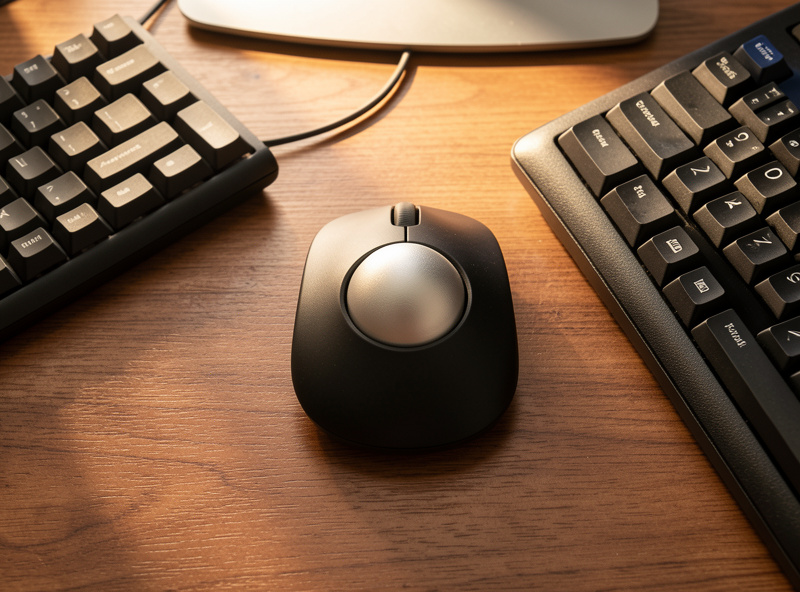
I run a finger-operated trackball on my smallest workstation where there’s no room to sweep a normal mouse. The shoulder stays completely still, which is the whole point. The trade-off is the same adjustment story as vertical mice: pointing accuracy drops at first, and thumb-ball models in particular take practice for fine selection. A finger-operated ball gives you more control once your hand learns it.
If your problem is specifically that the desk is too tight to move a mouse without bumping things, an ergonomic trackball mouse solves the travel problem better than any sculpted shape. My verdict: the best fit for small desks and standing setups where surface space is scarce; a deliberate retrain for everyone else.
Weight, glide and the wired vs wireless call
Two physical traits affect how a mouse feels over a long session. Weight: a heavier mouse takes more force to start and stop, which adds up if you move it a lot – though some people prefer the planted feel. Glide: the feet and your mousepad together decide how much effort each move costs. A slick pad under a moderate mouse beats a heavy mouse on a sticky surface every time. If a mouse feels tiring, change the pad before you change the mouse.
Wired versus wireless is a desk-clutter and weight decision more than an ergonomic one. Wireless removes a cable that can tug the mouse and adds the freedom to place it anywhere, which helps the centreline lever; modern wireless lag is a non-issue for normal work. Wired saves you charging and shaves a little weight. I run wireless on my main desk purely so the cable never fights the placement I measured.
Mouse archetypes compared
This table is the filter I use before reading any review. Pick the row that matches your hand and your desk space, then shop within it. Prices are rough bands and move constantly.
| Type | What it changes | Hand-size fit | Desk-space effect | Rough price band |
|---|---|---|---|---|
| Standard sculpted | Supports your existing grip; least retraining | Match shell size to measured hand | Needs room to swing the mouse | $15 to $80 |
| Vertical | Rotates hand to neutral handshake, less forearm roll | Sized in S/M/L; measure first | Wider base sits further from centreline | $25 to $100 |
| Trackball | Mouse stays still; near-zero arm travel | Less size-critical; grip style matters more | Best for tight desks; fixed footprint | $25 to $110 |
| Lightweight | Lower mass, easier flicks for fingertip grip | Suits small to mid hands and fingertip grip | Needs swing room but moves with little effort | $30 to $90 |
The order I’d actually buy in
Spend the free lever first. Pull the mouse in next to the keyboard, drop to a compact or tenkeyless board if the numpad is shoving the mouse out, and fix a slick pad under it. Then measure your hand and identify your grip. Only after all of that does the device type matter – and by then you’ll know whether you want a sculpted shell that fits your hand, a vertical for forearm roll, or a trackball for a cramped desk.
The broader point sits inside my ergonomic peripheral tools guide: peripherals are a system. A mouse decision interacts with your keyboard choice, your wrist support and your monitor height, and the cheapest gains almost always come from placement and fit, not from the priciest shape on the page.
If you want the research perspective on workstation layout rather than a sales angle, OSHA’s computer workstations eTool is a neutral reference on neutral-posture working. Read it as research, not as a promise about any product.
As an Amazon Associate I earn from qualifying purchases.
How do I know what size ergonomic mouse to buy?
Measure hand length from your wrist crease to your middle fingertip and hand width across your knuckles. Under about 17 cm length suits small or compact mice, 17 to 19 cm fits most mid-range bodies, and over 19 cm wants a large shell. Match the mouse to those numbers, not to the review score.
Is a vertical mouse actually better than a normal one?
A vertical mouse rotates your hand into a neutral handshake grip, which reduces forearm roll and can feel more relaxed over a long day. The trade-off is an adjustment period of one to two weeks where fine pointing gets clumsy because you steer more from the shoulder and elbow. It is worth trying if a flat mouse rolls your forearm hard palm-down.
When does a trackball make sense?
A trackball keeps the mouse body still and moves only the ball, so there is almost no arm travel and no need for clear desk space to swing the device. That makes it ideal for tight desks and standing setups where surface room is scarce. Expect reduced pointing accuracy at first while your hand learns the ball.
Does mouse weight affect comfort?
Yes, but glide matters more. A heavier mouse takes more force to start and stop, which adds up over a long session, though some people prefer the planted feel. The bigger lever is the pad and feet under the mouse – a slick pad under a moderate mouse beats a heavy mouse on a sticky surface. Change the pad before the mouse.
What is the difference between palm, claw and fingertip grip?
Palm grip rests the whole hand flat on the body and wants a taller filled-out shell. Claw grip arches the fingers with the rear palm touching down and suits a shorter defined hump. Fingertip grip floats the palm and steers with finger tips, favouring a smaller lighter body. Knowing your grip filters out most shapes before you read a review.
Should I choose wired or wireless for ergonomics?
It is mostly a desk-clutter and weight call rather than an ergonomic one. Wireless removes a cable that can tug the mouse and lets you place it freely, which helps you keep it close to your centreline. Wired saves charging and shaves a little weight. For normal desk work, wireless lag is a non-issue.
