
Dual motor vs single motor standing desk is the spec line that costs real money and gets explained badly everywhere. The product pages say “dual motor” like it’s a feature checkbox, but they never tell you what you actually feel differently day to day — and that’s the only thing worth knowing before you spend the difference. I’ve run both on my own bench, same monitor load, side by side, so I can tell you precisely where the dual-motor frame earns its premium and where a single motor is genuinely all you need. The answer isn’t “always buy dual,” and it isn’t “single is fine” — it depends on how you load your desk.
Standard framing: this is a comfort, fatigue, and geometry article, not a medical one. I’m describing mechanical behaviour — lift smoothness, speed under load, noise, how the frame handles an uneven load — things measurable on a bench. No health claims.
What the two motor layouts actually are
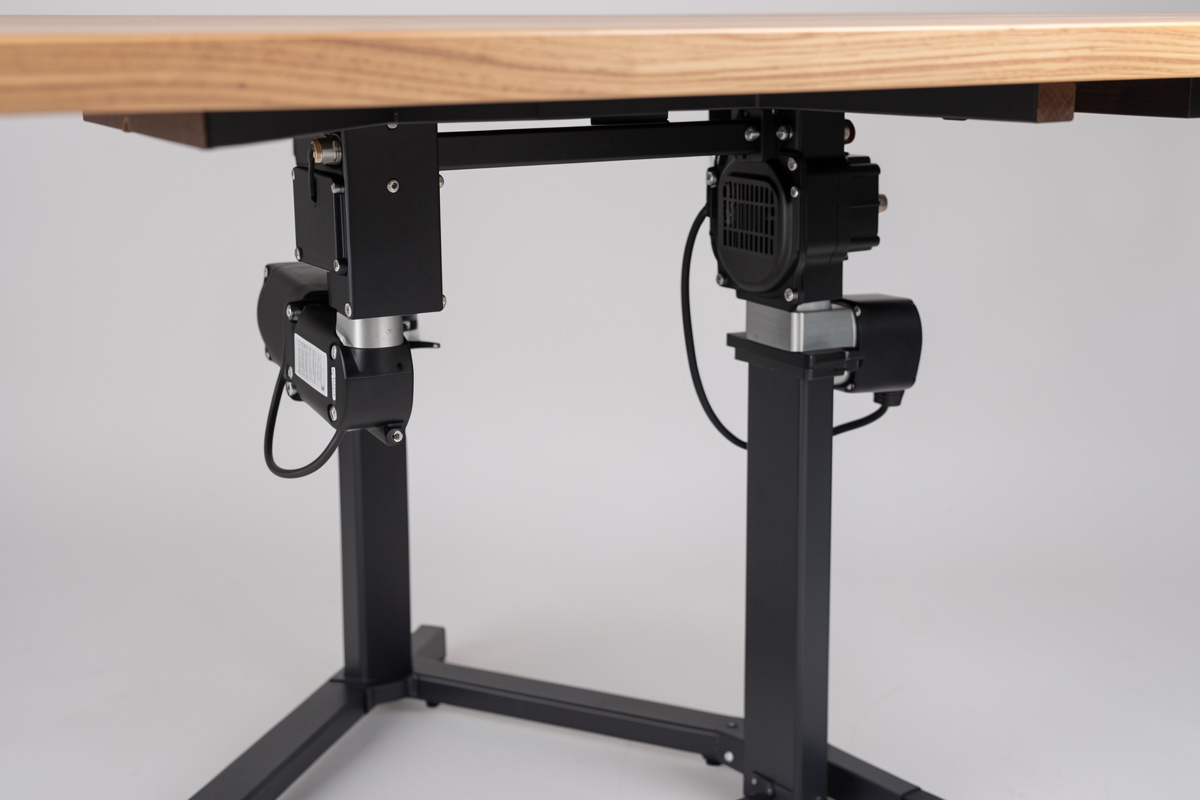
A single-motor frame has one motor that drives both legs through a connecting rod or linkage running across the frame. A dual-motor frame puts an independent motor in each leg, coordinated by the controller. That architectural difference is the root of every real-world distinction: how smoothly it lifts, how it copes when one side is heavier than the other, how fast it travels under load, and how much noise and strain you hear. Everything below flows from “one motor sharing the work through a linkage” versus “two motors each doing their own leg.”
How this site stays free: a couple of links below go to Amazon, and as an Amazon Associate I earn from qualifying purchases. No extra cost to you, only gear I’d put on my own desk, and this is comfort-and-geometry guidance, not medical advice.
The differences you actually feel
Lift smoothness and the uneven-load test
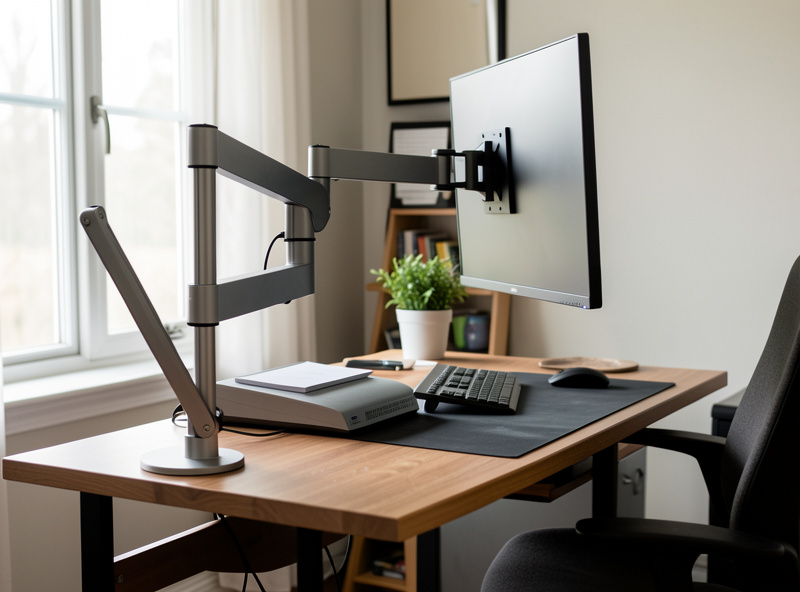
This is the big one, and it’s where my side-by-side made the difference obvious. Load a desk unevenly — a heavy monitor arm clamped to one corner, a laptop dock on one side, the way real desks accumulate weight — and a single-motor frame has to drag the heavier side up through its linkage. You can feel it: a slight hitch, a frame that rises a touch unevenly before settling. The dual-motor frame, with a dedicated motor per leg, lifts each side under its own power and stays level through the travel. On a perfectly balanced load you’d struggle to tell them apart. On the off-centre reality of a working desk, the dual motor is noticeably more composed.
Speed under load
Both layouts move quickly when empty. Pile on the weight and the single motor slows more, because one motor is doing all the lifting through a linkage. The dual motor holds its speed better under a heavy array. This sounds trivial until you realise that a slow desk is a desk you stop adjusting — if going from sit to stand takes long enough to be annoying, you’ll quietly leave it parked at one height, which defeats the entire reason you bought a sit-stand desk. Faster, smoother travel keeps you actually using the range.
Noise and strain
Single-motor frames under load tend to be louder and to sound like they’re working harder, because they are. Dual-motor frames spread the effort and generally run quieter and smoother. If your desk shares a room with calls or a sleeping household, this is a real quality-of-life factor that nobody puts on the spec sheet.
Where single motor is genuinely the right call
I’m not here to upsell you. A single-motor frame is the correct, money-saving choice for a real set of setups: a light load, a single monitor or a laptop, a symmetrical arrangement where the weight sits centred between the legs, and a height range that doesn’t push you to the extremes. For a clean, minimal desk that rarely changes, a single-motor frame lifts that load perfectly well, costs less, and the money saved is better spent on a good chair or a monitor arm. The single-motor disadvantages all show up under weight and asymmetry — remove those and the gap nearly vanishes.
| Factor | Single motor | Dual motor |
|---|---|---|
| Lift smoothness (balanced load) | Good | Good |
| Lift smoothness (off-centre load) | Hitches, rises unevenly | Stays level |
| Speed under heavy load | Slows noticeably | Holds speed |
| Noise under load | Louder | Quieter |
| Cost | Lower | Higher |
| Best for | Light, centred, single-monitor | Multi-monitor, arms, real working desks |
Does motor count affect stability?
This is the most common confusion, so let me be precise: motor count is mostly about lift behaviour, not stability at height. Stability is driven by leg stages and bracing, not by how many motors lift the desk. That said, the two tend to travel together — frames with dual motors are usually also the ones with three-stage legs and better build quality, because manufacturers don’t put premium motors on bargain legs. So a dual-motor frame is often more stable, but it’s the legs doing that, not the motors. If you only care about stability, look at leg stages first; the motor count is a separate decision about how the desk lifts.
The reliability angle nobody mentions
There’s a long-term argument that cuts both ways and almost no review covers it. A single-motor frame has one motor — a single point of failure, but also only one thing that can fail. A dual-motor frame has two motors and a controller coordinating them, which is more components and, in theory, more that can go wrong. In practice, both are simple, durable mechanisms; motors in a desk frame don’t work hard in normal use, and a frame that isn’t pushed near its duty-cycle limit tends to last for years. What actually matters for reliability is build quality and warranty length, not motor count — a well-built single-motor frame will outlast a cheap dual-motor one.
The one thing to watch on a dual-motor frame is the synchronisation. If the two legs ever drift out of level, most controllers have a reset or re-calibration routine that re-zeros both legs — it’s a normal maintenance step, not a fault, and it’s worth knowing the procedure exists before you panic the first time the desk looks slightly off-level. On a single-motor frame there’s nothing to sync because one motor drives both sides, which is a genuine simplicity advantage. Neither is a reason to choose one over the other on its own, but if you value the fewest-moving-parts argument, single motor has a quiet point in its favour here. Weigh it against the lift behaviour, which is where dual motors clearly win for a loaded desk.
What to buy, by how you use your desk
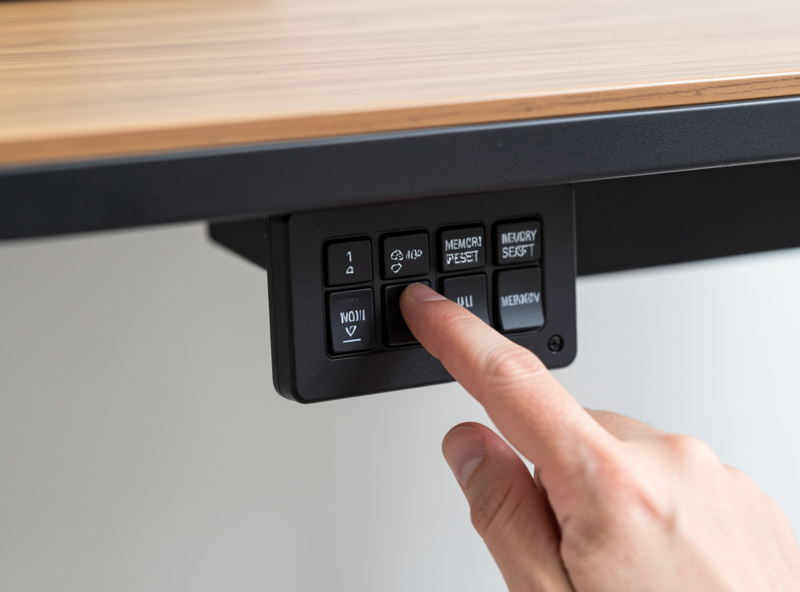
Here’s the honest decision tree. If you run multiple monitors, monitor arms, or anything that puts weight off-centre — and most real working desks do — buy dual motor and don’t look back; it’s the one I’d buy again every time for a working setup. If you have a genuinely light, single-monitor or laptop desk that stays symmetrical and you want to save money for a better chair, single motor is a smart, honest choice, not a compromise you’ll regret. And whichever you pick, get a controller with memory presets so your measured sit and stand heights are one button away — and if you stand for long stretches, a dense anti-fatigue standing mat is the comfort accessory that keeps you using the standing range regardless of how the desk lifts. A good under-desk cable management tray also matters more on a moving desk than a fixed one — slack that snags on the travel is its own kind of regret. If you’re building a custom top for your frame, the DIY desk top on frame guide covers how to size and mount a surface that keeps everything balanced and snag-free.
Is a dual-motor standing desk worth it?
For a real working desk with multiple monitors, arms, or off-centre weight, yes. Dual motors lift each leg independently, so the desk stays level, holds speed under load, and runs quieter. On a light, centred, single-monitor setup a single motor is genuinely fine.
What is the real difference between single and dual motor desks?
A single motor drives both legs through a linkage; a dual motor has one motor per leg. The dual lifts an uneven load level instead of hitching, keeps its speed under heavy weight, and runs quieter. On a perfectly balanced light load the difference nearly disappears.
Does motor count affect standing desk stability?
Not directly. Stability at height is driven by leg stages and bracing, not motor count. Dual-motor frames are often more stable, but that is because they usually also have three-stage legs and better build quality, not because of the motors themselves.
When is a single-motor standing desk the better choice?
When your load is light, centred, and symmetrical, such as a single monitor or laptop setup that rarely changes. The single-motor weaknesses only show under heavy or off-centre loads, so removing those means the money saved is better spent on a chair.
Are dual-motor desks quieter than single-motor desks?
Generally yes, under load. A single motor doing all the lifting through a linkage works harder and tends to be louder. Dual motors share the effort and usually run quieter and smoother, which matters if the desk shares a room with calls or a quiet household.
