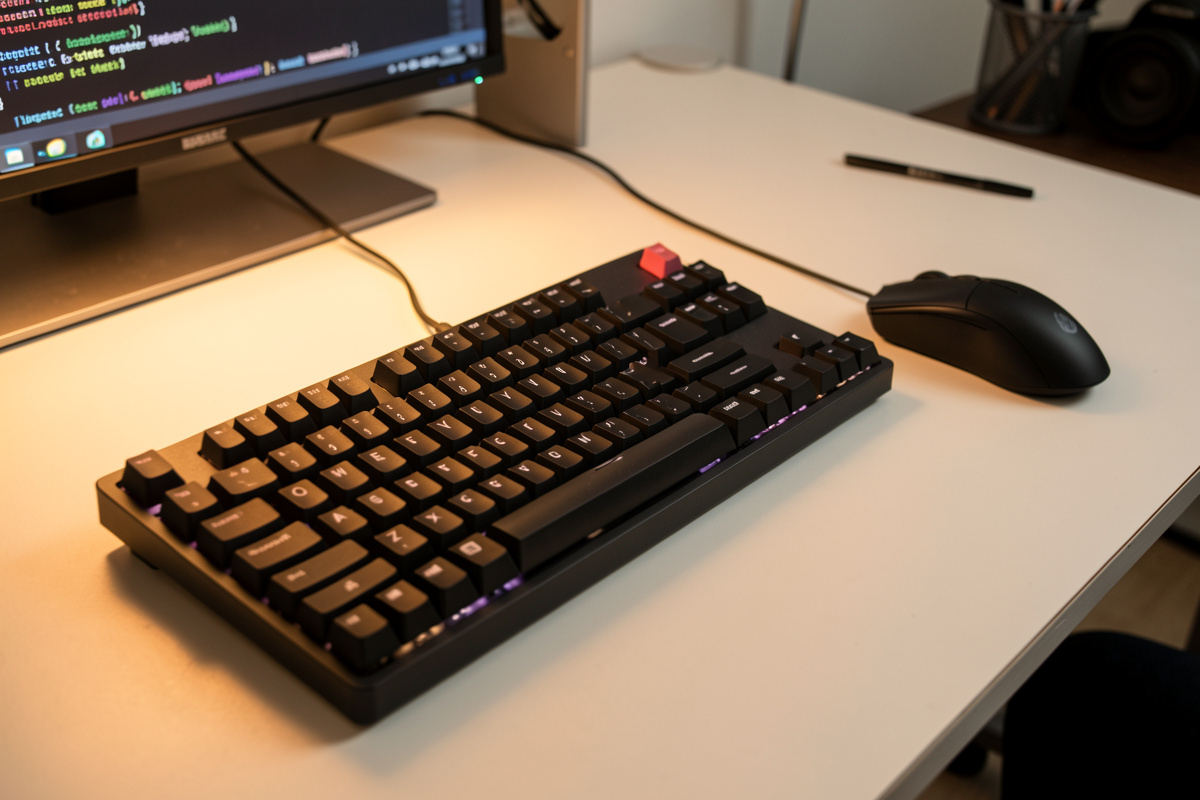

The best keyboard for a programmer isn’t a brand — it’s a layout that keeps every key you actually use within reach, sat low enough that your wrists stay neutral. For most coders that means a tenkeyless or 75% board with a real function row and arrow cluster, kept flat on the desk at elbow height. Switch feel is a separate, secondary question.
I keep a shared keyboard canon across my benches, and I measure boards the way I measure everything: by the dimensions that change how your hands sit, not the marketing on the box. This guide walks through how I actually choose a coding keyboard — layout first, height second, switches last — so you buy once instead of cycling through three boards like I did before I started writing the numbers down.
Layout First: Which Keys a Coder Actually Needs
Start with layout, because it decides whether your daily keys are within reach. Programmers lean hard on the function row, the navigation cluster (arrows, Home/End, Page Up/Down), and modifiers. A tenkeyless (TKL) board keeps all of those while dropping the numpad you rarely use — and that missing numpad pulls your mouse inboard, which your shoulder will thank you for.
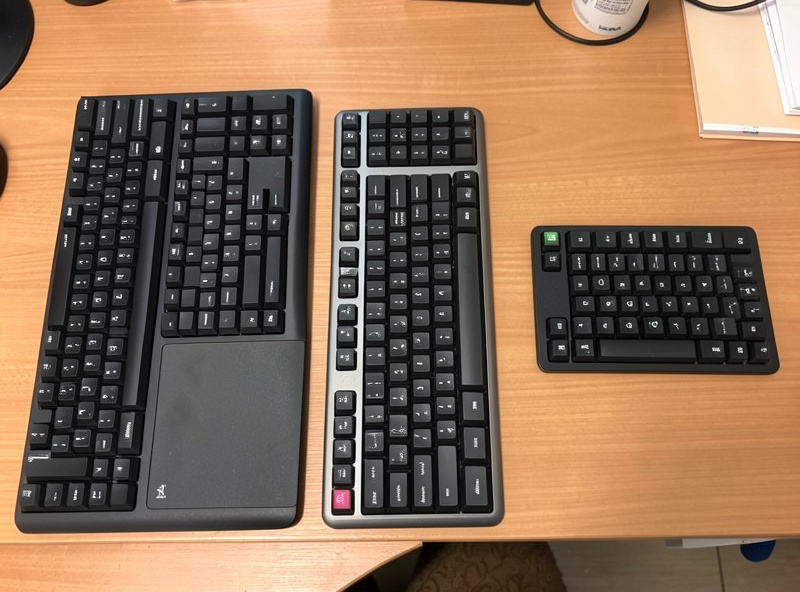
Here’s the honest breakdown by size. A full-size board has everything but pushes the mouse far to the right; I measured that reach at my own shoulder width and it’s the quiet cause of a lot of end-of-day shoulder ache. A TKL drops the numpad and is my default recommendation for coding — function row and arrows intact, mouse closer. A 75% packs the same keys into a tighter footprint with the arrows nudged in. A 65% or 60% drops the function row and dedicated arrows onto a layer, which is fine if you’re comfortable with layers and want maximum desk space, but a real handicap if you live in an IDE that leans on F-keys. If you’re choosing between sizes, the deciding question is simple: do you use the numpad daily? If not, a TKL or 75% is the upgrade.
Board Height and Profile: The Dimension Nobody Reads
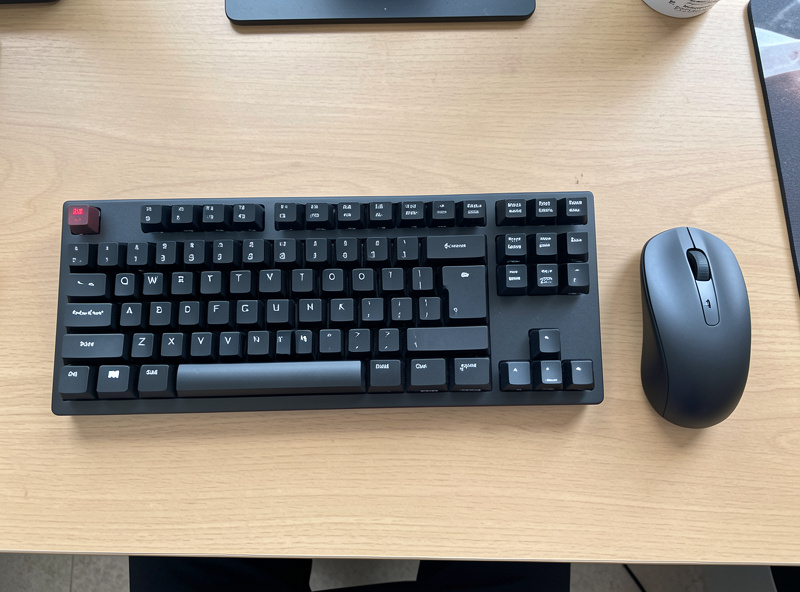
The single spec that affects comfort most is the one buried in the dimensions table: the board’s height at the home row. A keyboard that’s too tall forces your wrists to extend upward, and no amount of switch quality fixes that. You want the typing surface low and flat, with the desk set so your forearms stay level.
This is where keyboard choice and desk geometry collide. A thick board on a desk that’s already a touch high stacks two problems on top of each other. My fix is to keep the board flat — feet folded down, not propped up — and set the desk to my elbow height so the home row meets my hands. The feet that flip a keyboard up to an angle are, for most people, the wrong direction; they tilt your wrists back. I cover the desk side of this in the keyboard height for typing guide, and the broader layout reasoning in keyboard and mouse positioning. Measure your board’s front-edge height before you buy — it’s printed in the specs, and it tells you more about all-day comfort than the switch name does.
Switches: Important, but Settle It Separately
Switch type — linear, tactile, or clicky, mechanical or membrane — matters for feel, but it’s a preference, not a performance upgrade. You do not write code faster on a particular switch; you write more comfortably on the one your fingers prefer. So pick the layout and height first, then choose switches by trying them, not by reading.
The shorthand I give people: tactile switches (a small bump partway down) suit a lot of coders because the feedback helps without the noise of a clicky switch — and noise matters if you’re on calls or share a room. Linears are smooth and quiet; clickies are loud and divisive. None of them make you a better programmer. The full mechanical-versus-membrane question, including whether a mechanical board is worth it at all for coding, gets its own treatment in my mechanical keyboard vs membrane for coders comparison. If you want to fall properly down the switch rabbit hole — springs, lubing, hot-swap — the deep coverage at Mechkey Foundry is where that obsession lives. Current boards across every switch type sit in the tenkeyless mechanical keyboard category.
Programmability and Layers for Coders
For programmers, a board you can remap is a genuine productivity feature — not for typing speed, but for putting symbols, navigation, and shortcuts under your fingers. QMK/VIA-compatible keyboards let you build layers so brackets, arrows, and media keys live a hold away, which is where smaller boards earn back the keys they dropped.
I’m cautious about over-engineering this. A layer setup you have to relearn every Monday is worse than a stock layout you never think about. But a couple of well-chosen remaps — Caps Lock to a layer key, a symbol layer for the punctuation-heavy keys you reach for in code — genuinely reduce hand travel. If a board advertises VIA support, you can change the layout in a browser in minutes without flashing firmware, which lowers the commitment enough to experiment. Treat remapping like any other setup change: do one at a time, live with it for a week, keep what sticks.

Wired, Wireless, and the Boring Details That Matter
For a desk that doesn’t move much, wired versus wireless is mostly preference — a wired board never needs charging and has zero latency, while a good wireless board keeps the desk tidy. The details that actually bite are keycap legends that wear off, and a case that flexes. Both are quietly checkable before you buy.
My practical checklist: prefer doubleshot or dye-sub keycaps so the legends don’t rub away in a year of heavy typing; a board whose legends are printed on top will look tired fast under coding hands. Check that the case doesn’t flex or ping when you type firmly — a solid plate makes a board feel far more expensive than it is. And if you go wireless, confirm it supports a wired fallback so a dead battery during a deploy isn’t a crisis. None of these are exciting, but they’re the difference between a board you keep for years and one that joins the drawer of regrets. A clean low-profile option for tidy desks lives in the low-profile wireless keyboard category.
The Mistakes That Cost Me Boards
Before I started writing the numbers down, I bought keyboards the way most coders do — by switch hype and looks — and cycled through several before I kept one. The three mistakes that cost me money were all avoidable with a tape measure and an honest look at how I actually work. Each one is easy to dodge if you know to check for it.
First mistake: buying a full-size board out of habit, then living with the mouse shoved far to the right for months before I measured the shoulder reach and switched to a TKL. Second: a beautiful tall board I propped up on its feet because that’s what you do — and it pushed my wrists into a backward bend my desk height was already flirting with. Third: chasing a switch I’d read raves about, sight unseen, and finding it too loud for shared rooms and calls; feel is the one thing you genuinely have to try in person. None of these were quality problems with the boards — they were fit problems with how I chose them. Match the board to your hands and your desk, audition the switch, and you skip the whole drawer of regrets. The way these tie back to desk height is covered in the ergonomic sitting position for coders guide, which sets the geometry your keyboard sits inside.
How I’d Choose, Start to Finish
My order is always the same: decide the layout by which keys you use daily, check the board’s home-row height against your desk geometry, then audition switches in person and pick by feel. Buy keycaps that won’t wear, a case that won’t flex, and remap only what genuinely saves hand travel. Layout and height are the keepers; everything else is taste.
If you do it in that order you’ll skip the expensive cycle of buying for the switch and discovering the layout is wrong, or buying a gorgeous board that sits too tall for your desk. The keyboard is the one piece of the setup your hands touch all day — so choose it by the dimensions that touch your hands, and set it on a desk that’s already at the right height. For the desk side of that equation, start with the best desk setup for coding guide, and for the whole workstation in priority order, the programmer desk setup hub.
| Layout | Numpad | Function Row | Arrows | Best For |
|---|---|---|---|---|
| Full-size | Yes | Yes | Dedicated | Heavy numeric entry; mouse sits far right |
| Tenkeyless (TKL) | No | Yes | Dedicated | Most coders; mouse pulled in close |
| 75% | No | Yes | Dedicated (tight) | Small desks wanting all keys |
| 65% | No | On layer | Dedicated | Layer-comfortable, max desk space |
| 60% | No | On layer | On layer | Minimalists who live on layers |
As an Amazon Associate I earn from qualifying purchases.
Related Reading
- Best Desk Setup for Programmers (Hub)
- Mechanical Keyboard vs Membrane for Coders
- Best Desk Setup for Coding
- Keyboard and Mouse Positioning
- Mouse Position for Desk Work
Frequently Asked Questions
What keyboard layout is best for programming?
A tenkeyless (TKL) or 75% layout suits most programmers. Both keep the function row and arrow cluster coders rely on while dropping the numpad, which pulls the mouse closer and reduces shoulder reach over a long day.
Do I need a mechanical keyboard to code?
No. Switch type is a comfort preference, not a performance upgrade, and you do not code faster on a mechanical board. Layout and board height matter far more for all-day comfort than whether the switches are mechanical or membrane.
Is a 60% keyboard good for coding?
It can be if you are comfortable using layers, since a 60% puts the function row and arrows on a hold-key layer. If you live in an IDE that leans on F-keys and arrows, a TKL or 75% with dedicated keys is less friction.
Should a coding keyboard be tilted up on its feet?
Usually no. Flipping the feet up tilts your wrists backward into extension. Keep the board flat and set your desk to elbow height so your forearms stay level and your wrists neutral.
Are programmable keyboards worth it for developers?
For many, yes. A VIA or QMK board lets you put symbols, navigation, and shortcuts on layers, reducing hand travel. Remap one thing at a time and keep only what genuinely saves movement, rather than rebuilding the whole layout at once.
