

The right keyboard height is your seated elbow height: set the keyboard so your forearms reach the keys roughly parallel to the floor, elbows bent near 90 degrees and shoulders relaxed. For most desks that means the keyboard wants to sit a few centimeters lower than the standard 73–75 cm desktop, not on top of it.
I measure this on my own setup with a tape, because the number is personal and the factory desk doesn’t know it. Seated elbow height — measured from the floor to the underside of my bent elbow, feet flat and thighs level — is the single figure that the whole hand position hangs on. Get it right and your shoulders stay down all day; get it wrong by even three centimeters and they spend the afternoon creeping up to meet a keyboard that’s too high. This is the cheapest, highest-return change on the whole desk, and it’s the first stop after the keyboard and mouse positioning guide.
How to measure your own keyboard height
Sit the way you actually work. Feet flat on the floor, thighs roughly level, back against the chair, shoulders dropped and loose. Now let your upper arms hang straight down and bend your elbows to about 90 degrees so your hands float where a keyboard would be. The height of your hands in that relaxed position is your keyboard target — measure from the floor to your knuckles with a tape and write it down.
In my setup log that number lands around 66–68 cm for me in a properly adjusted chair, which is a clear 6–8 cm below the 74 cm desktop I started with. That gap is exactly why a keyboard sitting on a standard desk feels subtly wrong for so many people: the desk was built tall, and the keyboard inherits the desk’s height instead of your elbow’s. The chair sets your elbow height first — a chair that fits, matched by seat depth to your femur and covered in the ergonomic chair guide, is what makes the measurement trustworthy. Measure with the wrong chair and you’ll chase a moving target.
Why a keyboard that is too high costs you all day
When the keyboard sits above your seated elbow height, you have three bad options and your body will pick one without asking. It can lift the shoulders to raise the hands, which loads the trapezius continuously. It can keep the shoulders down and bend the wrists upward to reach over the edge, which pushes the wrist out of neutral. Or it can perch the forearms on the hard front edge of the desk, which anchors the wrists and turns them into pivot points. None of these are comfortable for eight hours, and all three trace back to the same root cause: height.
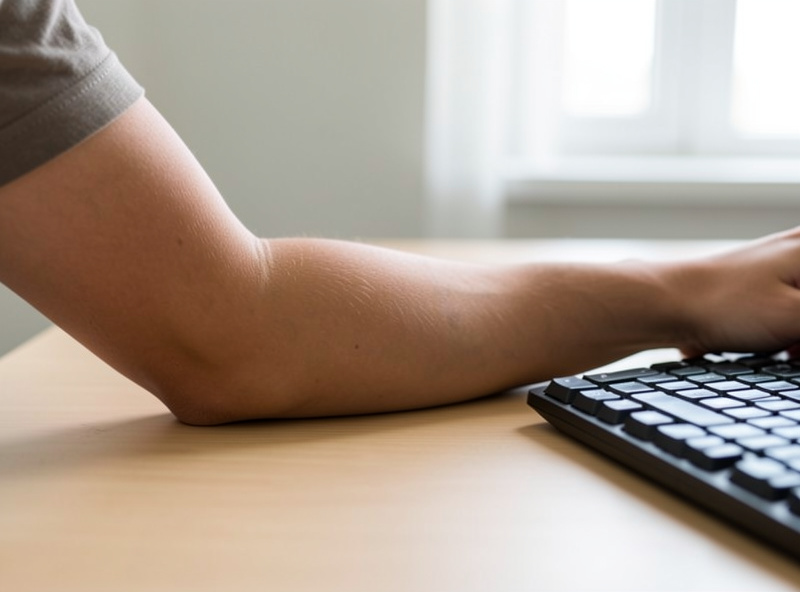
The reason height beats almost every gadget is that it removes the cause instead of cushioning a symptom. A wrist rest, for example, can make a too-high keyboard tolerable for a while, but you’re still reaching up — you’ve just padded the edge you’re anchoring on. Lower the keyboard to elbow height and the reaching disappears, which is why I treat the wrist rest, covered honestly in the wrist rest guide, as a between-bursts comfort and not a height fix.
Fixing height on a fixed desk: three honest routes
Most desks don’t adjust, so the keyboard can’t simply drop to where you want it. You have three real options, and which one fits depends on your desk and your budget.
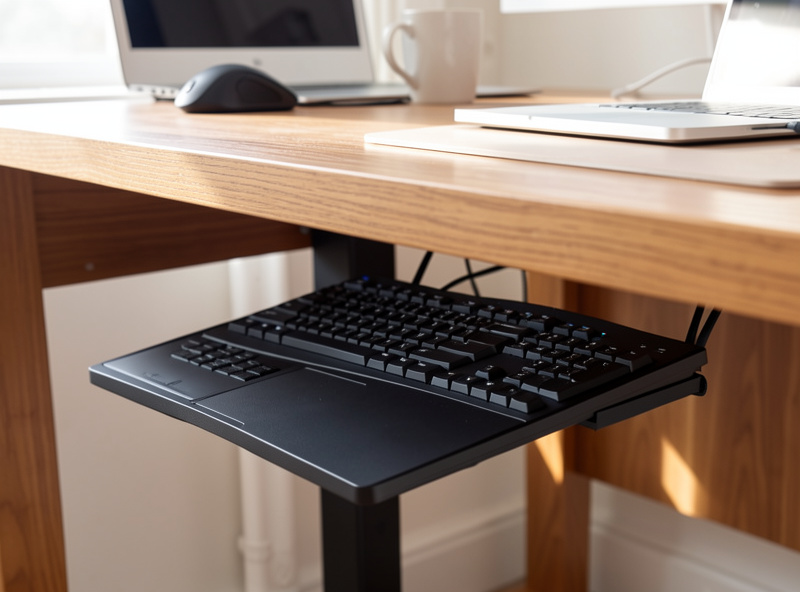
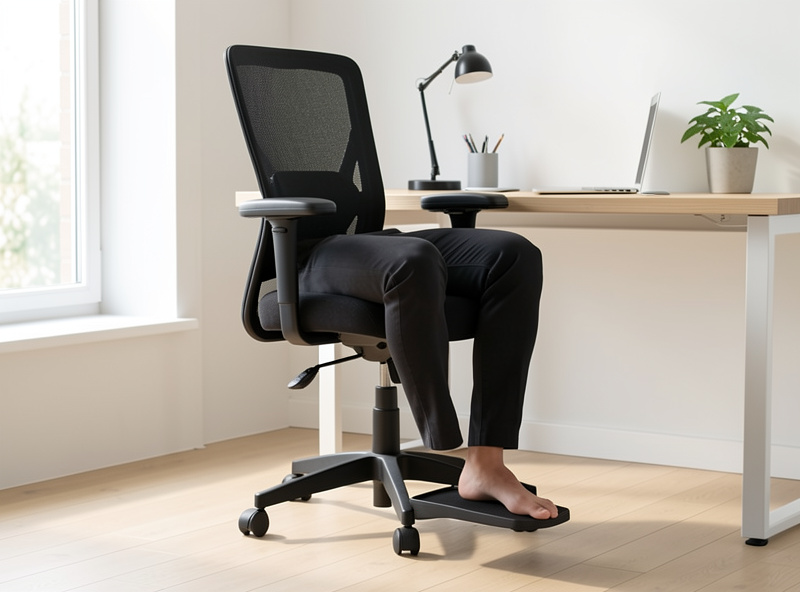
The first is to raise the chair until your elbows meet the desk surface, then add a footrest so your now-dangling feet stay flat and supported. This keeps everything on the desktop and costs the price of a footrest. The catch is that it raises you relative to the monitor too, so re-check your monitor height and eye line afterward. The second route is an under-desk keyboard tray, which drops the board 6–10 cm below the desktop to your elbow height and, as a bonus, gives you somewhere to build in a slight negative angle (more on that in the tilt and tenting guide). The third, if the desk is simply too tall and you don’t want a tray, is one of the desk-too-high fixes that don’t involve buying a new desk.
The standing-desk shortcut
A height-adjustable desk sidesteps this entire problem, which is the strongest single argument for one. Instead of working around a fixed surface, you set the desktop directly to your elbow height — seated or standing — and the keyboard follows. The method for dialing that number in is in the standing desk height guide, and it’s the same elbow rule applied to a surface that actually moves. The trade-off is cost and the need for a stable frame, but for keyboard height specifically, an adjustable desk turns a compromise into a setting.
The math behind all of this — elbow rule versus the online height calculators that guess from your total height — is worth understanding rather than trusting blindly, and the elbow rule versus calculator comparison lays out why the measured elbow figure wins over a formula. A calculator gives a starting estimate; your tape gives the answer.
Laptops: the worst keyboard height by design
A laptop is the hardest case because the keyboard and screen are joined, so you can never have both at the right height at once. Set the screen to eye line and the keyboard is far too high; set the keyboard to elbow height and the screen is in your lap. The only real fix is to break them apart: lift the laptop on a riser to get the screen up, and add an external keyboard at elbow height so your hands sit where they should. That separation is the entire point of the laptop ergonomics guide, and once you’ve done it the laptop is really just a small all-in-one computer behaving like a desktop.
Once the height is right, do not stop there
Correct keyboard height is the foundation, but it’s only the first of the free fixes. With the board at elbow height, fold its back feet down so it sits flat or slightly negative rather than tilted toward you, then pull the mouse in beside it so your mousing arm doesn’t drift out — that’s the mouse position guide. These three together — height, tilt, mouse distance — are the package, and in my experience they account for the large majority of the comfort difference people are chasing when they start shopping for ergonomic hardware. Spend the measurement first; the hardware, if you still need it, comes after.
Further Reading
- Keyboard and Mouse Positioning: The Full Guide
- Mouse Position Guide for Desk Work
- Keyboard Tilt and Tenting Angles
- Wrist Rest for Your Keyboard: An Honest Guide
- Desk Height Calculator vs the Elbow Rule
What height should my keyboard be for typing?
At your seated elbow height, so your forearms reach the keys roughly parallel to the floor with your elbows bent near 90 degrees and shoulders relaxed. For most people that is a few centimeters below the standard 73 to 75 cm desktop, not on top of it.
How do I measure my correct keyboard height?
Sit with feet flat and thighs level, let your upper arms hang straight down, and bend your elbows to about 90 degrees so your hands float. Measure from the floor to your knuckles in that relaxed position. That number is your keyboard target.
Is the standard desk too high for typing?
For most people, slightly. Standard desks are built near 73 to 75 cm, which suits a fairly tall person sitting upright. Many people measure a seated elbow height several centimeters lower, which is why a keyboard on a standard desk often sits a little too high.
Should I raise my chair or lower my keyboard?
Either works if it lands the keyboard at elbow height. Raising the chair keeps everything on the desk but needs a footrest so your feet stay flat, and you should re-check monitor height after. A keyboard tray lowers the board without moving you relative to the screen.
Why do my shoulders feel tired at the keyboard?
This is a fatigue and comfort question, not a medical one, but raised shoulders at the desk usually mean the keyboard is too high and you are lifting to meet it. Lowering the keyboard to elbow height removes that lift. Persistent pain is a question for a professional.
What keyboard height works for a laptop?
A laptop cannot put keyboard and screen at the right height at once because they are joined. The fix is to separate them: raise the laptop on a riser for the screen and add an external keyboard at elbow height for your hands.
