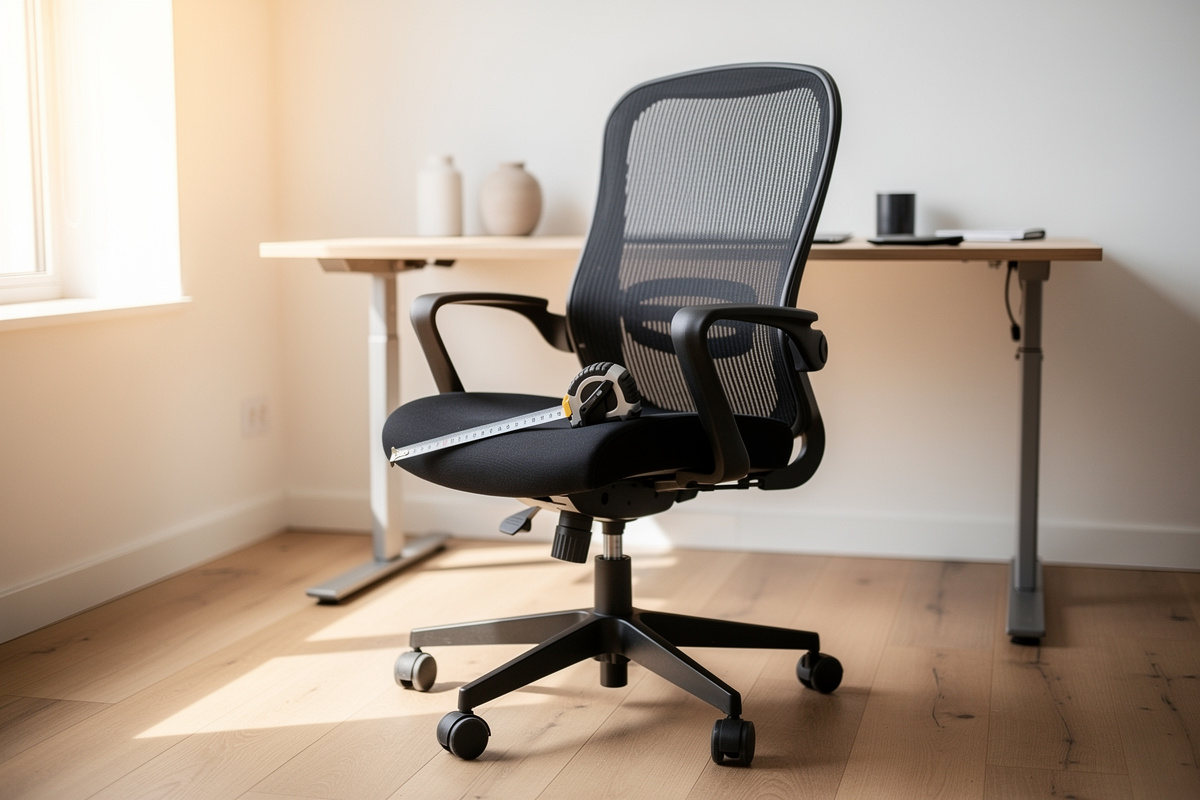

An ergonomic chair is fitted to your body’s dimensions, not chosen by a star rating. Match its seat depth to within 2-3 cm of your femur length and set its armrests to your seated elbow height, and you have done roughly 80% of the comfort work.
The two numbers that decide everything are your seat-to-popliteal length (back of knee to seat front) and your shoulder-to-elbow drop. Get those right and most of the price difference between chairs stops mattering for fit, though it still matters for how long the chair lasts.
I keep three chairs in rotation in my office and a setup log that records seat depth, backrest height, and armrest position for each one against my own measurements. The longer I run that log, the clearer it gets: the chair that “felt amazing” in a five-minute showroom sit is rarely the one I am still comfortable in at hour seven. This guide is the measurement-first method I use to pick a chair that fits, framed entirely around comfort, fatigue, and geometry. It is not medical advice, and nothing here is about treating or preventing anything.
What Actually Makes a Chair Ergonomic?
A chair is ergonomic when its adjustable dimensions can be matched to your body’s measurements, not when a product page says so. The non-negotiables are adjustable seat height, adjustable seat depth (or a depth that already fits your femur), and a backrest with lumbar contact you can position. Everything else is refinement.
“Ergonomic” printed on a spec sheet costs the manufacturer nothing. What costs them money is a sliding seat pan, a height-adjustable lumbar, and a tilt mechanism with a real lock, and those are the things that let a chair fit different bodies. When I measure a chair against my setup log, I am checking ranges: does the seat height cover my needed value, does the seat depth slide back far enough for my femur, does the lumbar move to where my lower back actually curves. A chair with a fixed seat pan and a foam-block “lumbar” can be comfortable for some people by luck of dimension, but it is not adjustable, and adjustable is what the word is supposed to mean.
Measure Your Body Before You Shop
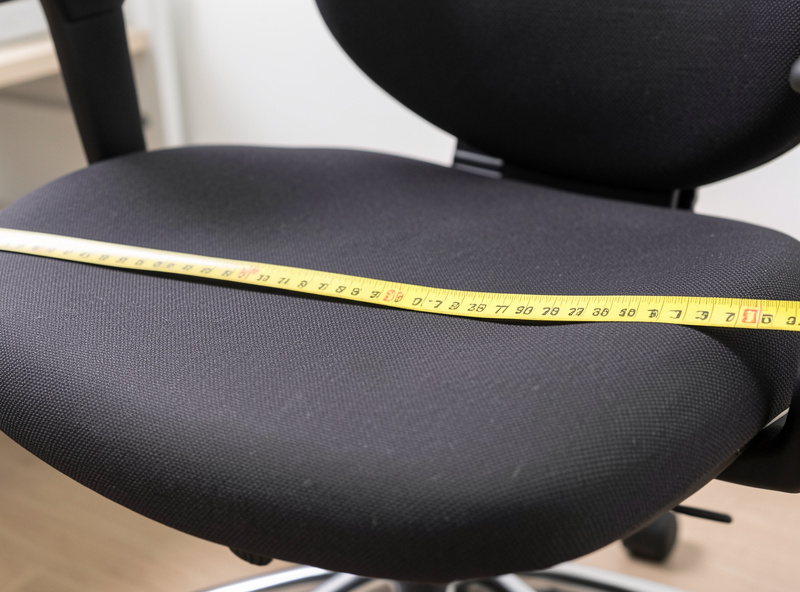
Take three measurements before reading a single chair review: seated femur length (back of buttock to back of knee), popliteal height (floor to underside of knee while seated), and seated elbow height (floor to bottom of elbow with shoulders relaxed). Ten minutes with a tape measure and a hard chair gets you all three.
These three numbers do almost all the fitting work. Popliteal height tells you the seat-height range you need, so your feet rest flat with thighs roughly level. Femur length, minus about 2-3 cm of clearance behind the knee, tells you the seat depth that supports your thighs without the front edge digging in. Seated elbow height tells you where armrests have to reach so your shoulders are not hiking up to find them. Write these down once. They do not change, and they turn chair shopping from a vibes exercise into a filtering exercise, the same way I treat the correct desk height as a number I calculate rather than guess.
Here is how I take them, because the method matters more than fancy tools. Sit on a hard, flat chair with your feet flat on the floor and your lower legs vertical. For popliteal height, measure from the floor to the underside of your thigh just behind the knee; for me that lands around 47 cm, which is why a chair that bottoms out at a 50 cm seat height leaves my feet dangling. For femur length, measure horizontally from the back of your buttock to the back of your knee; mine is around 48 cm, so I need a seat depth that adjusts to roughly 45 cm to leave that two-finger gap. For seated elbow height, drop your shoulders, bend your elbows to 90 degrees, and measure from the floor to the underside of the elbow. A tape measure does this fine; I use a laser measure only because I already own one for desk geometry, not because it is necessary. The point is that these are your numbers, repeatable to within a centimeter, and they instantly disqualify chairs whose published ranges cannot reach them.
Most reputable manufacturers publish these ranges, the seat height span, the seat depth adjustment, the lumbar height travel, in their spec sheets and in published office-seating dimension data that ergonomics researchers compile. That is the data nobody selling you a chair leads with, and it is exactly the data that tells you whether a chair can fit you before you ever sit in it. I treat a chair whose spec sheet hides its seat-depth range the same way I treat a desk frame that hides its wobble: the silence is the answer.
Why Seat Depth Is the Make-or-Break Dimension
Seat depth fails more chairs than any other dimension. If the seat pan is deeper than your femur, the front edge presses behind your knees and you slide forward off the backrest; shorter than your femur and your thighs hang unsupported. The rule of thumb is two to three finger-widths (about 2-4 cm) of gap between the seat front and the back of your knee.
This is exactly why a tall person and a short person cannot share a “one size” chair comfortably, and why I treat a sliding seat pan as a hard requirement for anyone who is not bang on average height. In my own log, the budget chair I keep has a fixed seat that runs about 3 cm too deep for me, and after a couple of hours I catch myself perched on the front of it, ignoring the backrest entirely. The mid-tier chair with a sliding pan lets me dial the depth to my femur and stay back against the lumbar. Same body, two chairs, opposite outcomes, decided by one number. I work through that one number in full in the chair seat depth and femur rule guide. I go deeper on the measurement method in the dedicated desk-height geometry guide, because seat height and desk height are a single system, not two separate purchases.
What Lumbar Support Should Actually Do
Lumbar support works when its contact point sits at the inward curve of your lower back, roughly at belt height, and when you can move it there. A fixed bulge that lands too high or too low does nothing useful and can make a chair less comfortable than a flat back. Height-adjustable lumbar is the feature that matters, depth-adjustable is the bonus.
The marketing word is “support”; the engineering reality is contact and position. A good lumbar fills the gap between your lower back and the backrest so you are not holding yourself upright with muscle effort over long sessions, which is a fatigue question, not a medical one. The failure mode I see most is a lumbar set at a fixed height that suits a 175 cm person and nobody else. If the lumbar does not move, you are betting that the factory guessed your spine’s curve, and that is a poor bet. When I evaluate a chair I push the lumbar to its range limits and check whether either extreme actually lands on my curve; if neither does, the chair is wrong for me regardless of the brand. I break down what lumbar contact should and should not do in the ergonomic chair lumbar support guide.
Armrests, Recline, and the Tilt Lock
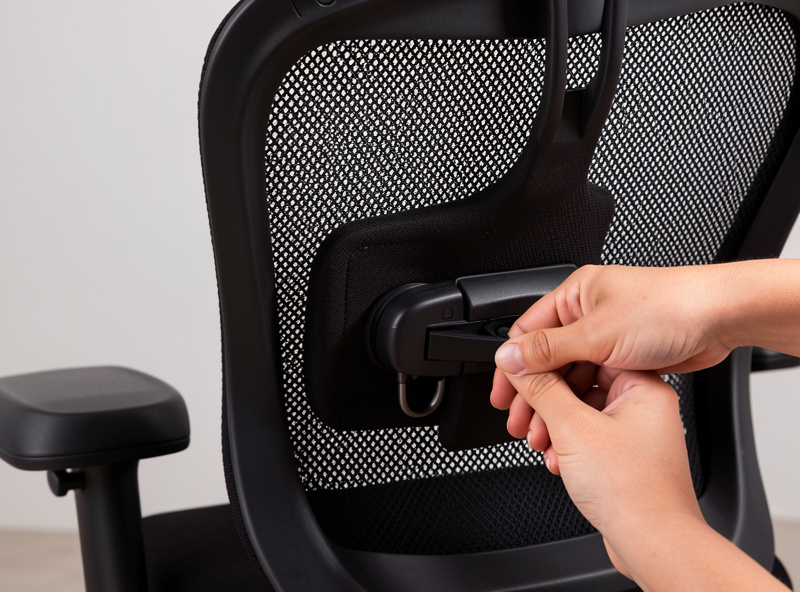
Armrests should reach your seated elbow height so your forearms rest without your shoulders lifting; recline matters less than most people think, but a tilt mechanism with a real lock is worth paying for. The armrest adjustment that earns its keep is height; width and pivot are nice but secondary.
If armrests sit too low, you lean to reach them and load one shoulder; too high, and your shoulders ride up toward your ears all day. Either way it is a fatigue cost, and it is set by one measurement you already took. Recline is more personal: I sit fairly upright for focused work and only open the tilt to lean back and read, so a smooth tilt with a lock I trust matters more to me than a huge recline range. A tilt that flops back the instant you relax is worse than no recline at all. The interaction between armrest height and desk height is real, which is why I sort out armrests and the desk height fixes together rather than in isolation.
There is a mistake I made for years that is worth flagging: I used to leave armrests at whatever height they shipped at and just live with it. On my budget chair the armrests fix at a height about 4 cm above my seated elbow height, and for a long time I did not connect the slow shoulder fatigue by late afternoon to that single number. The day I measured it and switched to the mid-tier chair with height-adjustable arms, dropped to my actual elbow height, the difference over a full working day was obvious. That is the whole argument for adjustability in one anecdote: a fixed armrest is a coin flip, and mine landed wrong. If you can only afford to prioritize one upper-body adjustment, make it armrest height, and set it to the number you measured rather than to whatever feels normal, because “normal” is just what you have gotten used to enduring.
One more practical note on the tilt mechanism, since it is where cheap chairs cut the most corners. A real tilt has a tension knob that lets you set how much force it takes to recline, plus a lock that holds the angle where you leave it. Budget chairs often give you a single floppy spring and a lock that only catches fully upright or fully back, nothing in between. Sit in the chair, lean back slowly, and see whether you can stop and hold at, say, a slight 100-degree open angle. If it either resists like a board or dumps you backward with no middle ground, the mechanism is decoration. This is a five-second test in a showroom and it tells you more about build quality than any spec line.
Mesh vs Foam, Years Later
Mesh runs cooler and resists the slow flattening that foam suffers, but a cheap mesh sags into a hammock within a year while quality molded foam can stay supportive for five-plus years. The honest answer after living with both is that material tier matters more than material type: good mesh beats bad foam and good foam beats bad mesh.
In my office the budget mesh chair sagged at the seat front inside about a year of daily use, which pushed me forward and undid the seat-depth fit. The mid-tier foam chair has held its shape far longer but runs warmer through a Swedish summer afternoon, where mesh genuinely breathes better. There is no universal winner. If you run hot or your room does, mesh earns its place on comfort grounds alone; if you want the longest service life from a single purchase, a high-density foam seat from a serious manufacturer tends to outlast cheap mesh. I keep the full multi-year comparison in the mesh vs foam office chair verdict because the year-one impression and the year-three reality genuinely diverge.
The Used-Premium-Chair Argument
A used flagship office chair is the highest-value buy in this entire category. A premium chair that sold new for a four-figure sum routinely turns up used at a third to a half of that, with a frame and mechanism built to last well over a decade. The smart money does not buy a new budget chair; it buys an old great one.
These chairs were engineered for contract office use, meaning they were designed to survive years of eight-hour days across many different bodies. That is exactly the durability and adjustability you want, and it is why the used market for them is deep. My own premium chair came used, and the dimensions and mechanism have outlasted two newer budget chairs that have come and gone in the same period. The trade-offs are real, you inherit whatever wear the previous owner left, and you have to verify the cylinder, the mechanism, and the upholstery before you buy, which is precisely why I wrote a dimensions-and-inspection checklist for buying a used Steelcase or Herman Miller secondhand. The logic mirrors the used standing desk checklist on the frame side: contract-grade gear bought used is the value play, if you inspect it properly.
What a Budget Chair Can and Cannot Do
A budget ergonomic chair under roughly the price of a nice dinner-for-four can fit you adequately if its fixed dimensions happen to match your body, but it cannot adapt as your needs change and it will not hold its shape as long. The honest limit is adjustability and longevity, not comfort on day one.
I keep a budget chair specifically so I can speak to this honestly, and it is not a scam, it is a compromise, the kind of trade-off I lay out fully in the budget ergonomic chair limits guide. On day one, sat by someone whose femur and elbow height happen to suit its fixed geometry, a decent budget chair is genuinely comfortable. The problems show up over time and across bodies: the seat depth you cannot change, the lumbar you cannot move, the foam that flattens, the mechanism that develops play. If your dimensions match it and your budget is hard, buy it without guilt. If you are tall, short, or planning to keep the chair for years, the budget tier’s fixed nature is exactly where it costs you, and a used premium chair becomes the better math.
Chair Tiers Compared by What Actually Matters
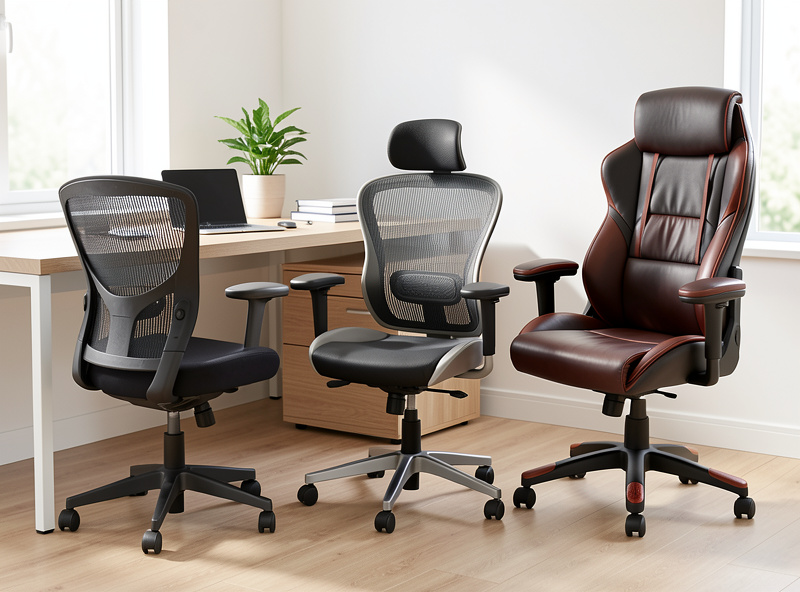
Strip away the marketing and the meaningful differences between chair tiers come down to four things: whether seat depth adjusts, whether lumbar height adjusts, how long the seat material holds its shape, and the realistic service life. Here is how the tiers stack up on those axes from living with one of each.
| Dimension that matters | Budget mesh chair | Mid-tier ergonomic chair | Used premium chair |
|---|---|---|---|
| Adjustable seat depth | Usually no (fixed pan) | Often yes (sliding pan) | Yes (sliding pan) |
| Height-adjustable lumbar | Rarely | Usually | Yes, and often depth too |
| Armrest height adjustment | Limited or none | Yes | Yes, multi-axis |
| Seat material longevity | 1-2 years before sag | 3-5 years typical | Built for 10+ years |
| Best fit for | Average build, hard budget | Most people buying new | Anyone willing to inspect used |
The pattern is consistent across my log: you are mostly paying for adjustability and longevity, not for day-one comfort. That is why the used-premium route wins on value so often, it gives you the top row of this table for mid-tier money, as long as you inspect before you buy.
Putting the Method Together
Measure your femur, popliteal height, and seated elbow height first; filter chairs by whether their seat-depth and lumbar ranges cover your numbers (the full fit-by-measurements method walks each number through to a short list); then decide tier by how long you need it to last and whether you will inspect a used one. That sequence turns a confusing category into a short list.
The chair is one part of a system that also includes your desk height, your monitor height and eye line, and your monitor distance. Fitting the chair sets your seated elbow height, which sets your desk height, which sets where the monitor has to be. I measure the whole geometry in my setup log and revise it like an experiment, because the parts interact and a chair fitted in isolation can still leave you reaching or hunching. For the standing side of the same system, the standing desk frame guide and standing desk height piece cover the equivalent dimensions for working on your feet, and the laptop docking setup covers the case where the screen and keyboard start out fused together.
Frequently Asked Questions
How do I know if a chair fits my body?
Match three of your measurements to the chair’s ranges: seat height to your popliteal height, seat depth to your femur length minus 2-3 cm clearance, and armrest height to your seated elbow height. If the chair’s ranges cover all three, it fits.
Is an expensive chair worth it over a budget one?
A used premium chair at a third to half its original price is the best value, giving you adjustable seat depth, movable lumbar, and 10-plus years of service life. A new budget chair only fits well if its fixed dimensions happen to match your body.
Mesh or foam for an office chair?
Material tier matters more than type. Good mesh runs cooler and resists flattening; quality foam holds support for 5-plus years but runs warmer. Cheap mesh sags into a hammock within a year, so spend on tier before choosing type.
What is the most important chair adjustment?
Seat depth. If the pan is deeper than your femur the front edge digs behind your knees and you slide off the backrest; shorter and your thighs hang unsupported. A sliding seat pan is the feature to prioritize unless you are bang on average height.
Where should lumbar support sit?
At the inward curve of your lower back, roughly belt height. Height-adjustable lumbar is the feature that matters because a fixed bulge that lands too high or low does nothing useful. Push it to its range limits and confirm one extreme reaches your curve.
Does this guide give health or medical advice?
No. Everything here is about comfort, fatigue, and geometry, fitting a chair to your dimensions so you are not holding yourself up with muscle effort all day. For any pain, injury, or medical concern, speak to a qualified professional.
