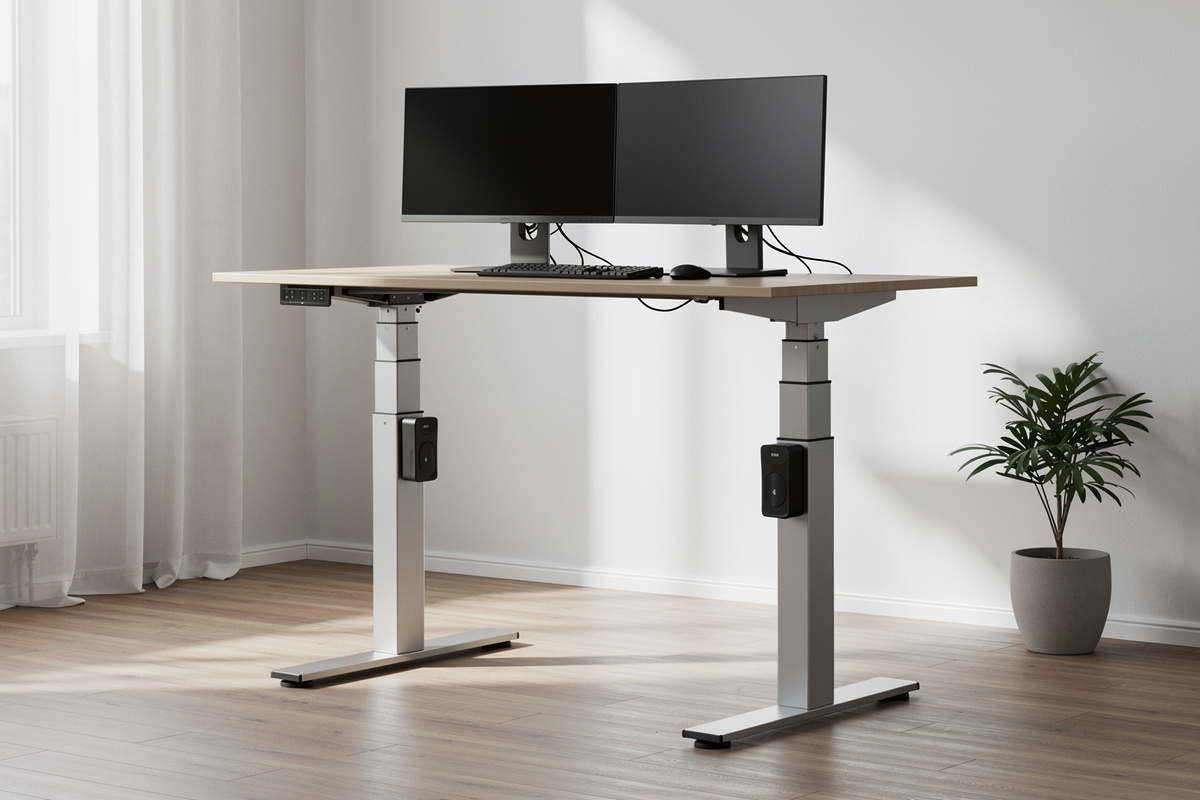

A standing desk frame is the one purchase in a desk setup where the marketing and the reality drift furthest apart. The leg is what you actually buy — the top is just a surface bolted on — and yet every product page leads with the top, the colour, and a “ergonomic” sticker, while burying the numbers that decide whether the thing wobbles like a card table at full height. I’ve spent years treating my own workstation like a bench: two frames bought and load-tested with the same monitor array, motor noise and speed compared side by side, the whole geometry written down in a setup log in centimeters. This guide is the frame-first method I use to separate a frame you’ll keep for a decade from one you’ll quietly resell in six months.
One thing up front, because it sets the tone for everything below: this is a comfort, fatigue, and geometry guide, not a medical one. I talk about stability at height, motor behaviour, weight capacity, and the dimensions you can measure with a tape and feel by the end of a long day. Where I touch research, I’ll say “studies report” and point you at the source. I’m an engineer who lives at his desk, not a clinician, and the line between those two never gets crossed here.
Why the frame is the whole decision
When people say “I’m buying a standing desk,” they almost always mean they’re buying a top — the bamboo slab or the laminate panel they saw in the photo. That’s backwards. The top is replaceable for the price of a sheet of plywood. The frame is the machine: two or four legs, one or two motors, a controller, and a crossbar that either ties the legs together or doesn’t. Everything you’ll feel daily — the wobble at standing height, how fast it gets to your standing number, how much weight it carries before it groans — lives in the frame. The top is decoration on top of that decision.
Here’s the mental model I use after load-testing my own frames: imagine the frame is a pair of telescoping legs holding a tray above your head. The taller the legs extend, the more any side-to-side flex multiplies into visible sway at the top, where your monitors live. A frame that feels rock-solid at sitting height can turn into a metronome at full standing extension. So the question is never “is this desk stable” — it’s “is this desk stable at the height I’ll actually stand at, with the load I’ll actually put on it.” That’s the whole game, and it’s the one number nobody advertises.
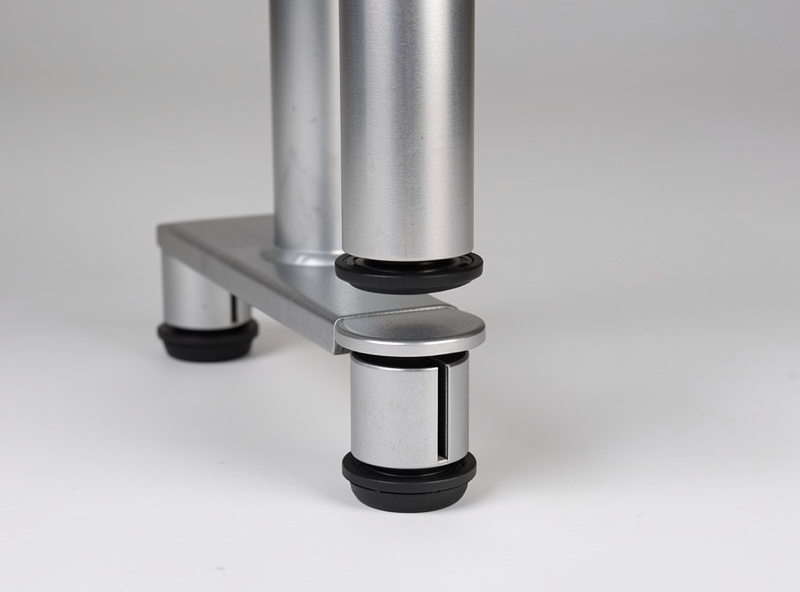
The two-stage versus three-stage leg, in plain terms
The single biggest predictor of stability at height isn’t the brand — it’s how many segments each leg telescopes into. A two-stage leg has two nested sections; a three-stage leg has three. More stages means each individual section is shorter, the leg reaches a taller maximum height, and — this is the part that matters — the frame is generally stiffer at full extension because there’s more overlap between sections at any given height.
In my own testing, the three-stage frame was the one I stopped noticing. The two-stage frame was fine until I pushed it to its upper range, where a firm nudge to a monitor would set the whole top swaying for a second. Neither is “bad.” But if you’re tall, if your standing number is high, or if you load the desk with arms and a heavy monitor array, three-stage legs are the difference between a frame you trust and one you babysit. The frames worth keeping almost all use three-stage legs; the wobbly bargains almost all use two.
The frame-buying checklist I run before anything else
Before I look at a single colour swatch, I run a frame through this list. None of it requires owning the desk — it’s all on the spec sheet or measurable in a showroom — and it filters out most of the regret purchases.
- Leg stages: three-stage if you’re tall or load it heavy; two-stage only if your standing height sits in the lower-to-middle of the range.
- Maximum height with your top on: the advertised max is the frame alone. Add your top’s thickness, then check it clears your standing elbow height. Buy short and you’ve bought a permanently-seated desk.
- Minimum height: shorter people get burned here constantly. If the frame’s minimum is above your correct seated height, you’ve bought a desk that’s always too high.
- Motor count: dual motor for smoothness and lift under load; single motor only on light, narrow setups.
- Weight capacity, read honestly: the rating is for a static, balanced load — treat it as a ceiling you stay well under, not a target.
- Crossbar or no crossbar: a crossbar adds stability at the cost of legroom; crossbar-free frames look cleaner but lean harder on leg quality to stay stiff.
- Controller features: memory presets save your sit and stand numbers — once you’ve measured them, you want to hit them with one button, not hunt every time.
How I run a wobble test (and how you can in a store)
“Wobble” is the word every reviewer reaches for and almost nobody measures. My method is deliberately repeatable so the verdict is about the frame, not my mood that day. I raise the frame to full standing height — not a comfortable middle, the top of its range — load it with the same monitor array every time, and then apply a firm horizontal push to the top edge, the kind of force a real lean or a vigorous typing session puts in. Then I watch how far the top travels and, more importantly, how long it takes to settle. A frame that moves a little and stops dead is solid. A frame that moves and keeps oscillating for a second or two is the one that’ll annoy you every single day.
You can run a version of this in any showroom. Crank the display model to its tallest setting, put both hands flat on the front edge, and rock it gently fore-and-aft and side-to-side. Forget how it feels at sitting height — every desk is stable there. The honest answer is at full extension, because that’s where you’ll be standing and that’s where the legs are working hardest. If a salesperson only shows you the desk at sitting height, that tells you something.

Single motor versus dual motor: what you actually feel
A single-motor frame drives both legs from one motor through a linkage; a dual-motor frame has a motor in each leg. The real-world differences are smoothness, speed under load, and how the desk behaves when the weight isn’t evenly distributed. Dual-motor frames lift more confidently when one side is heavier — a single monitor arm clamped to one corner, say — and they tend to travel more smoothly and a touch faster. Single-motor frames are cheaper and perfectly fine on light, symmetrical loads, but push them with weight or an off-centre load and you’ll hear and feel the strain.
My honest take after running both: for a single-monitor laptop setup that rarely moves, single motor saves money you can spend elsewhere. For a real working desk — multiple monitors, arms, the stuff that accumulates — dual motor is the one I’d buy again without thinking. The whole question gets its own deep-dive on real-world differences, because the spec line “dual motor” hides more than it reveals.
Reading weight capacity without getting fooled
The weight rating on a frame is one of the most misread numbers in the category. It’s a static rating: the load the frame will lift, balanced and centered, under ideal conditions. It is not a measure of stability, it’s not a guarantee at the extremes of travel, and it absolutely is not a number you should design your setup to approach. The honest way to read it is as a ceiling you stay comfortably below — I aim to load a frame to well under its rating so there’s margin for the off-centre, dynamic reality of a desk that gets leaned on and bumped.
And remember what the rating doesn’t include in the way you’d expect: the top itself counts against it. A heavy solid-wood top eats into your usable capacity before you’ve placed a single monitor. If you’re running a heavy array — multiple large monitors, arms, a laptop dock, the accumulated mass of a real desk — read the rating as the first filter, not the last word, and give yourself room.
Frame comparison: matching the frame type to the user
This is the table I wish existed when I started. It maps frame characteristics to who they actually suit — not a brand ranking, because the right frame depends entirely on your height, your load, and your budget.
| Frame type | Leg stages | Motors | Best for | The honest weakness |
|---|---|---|---|---|
| Budget value frame | Two-stage | Single or dual | Light, single-monitor or laptop setups; shorter height ranges | Noticeable sway near the top of its travel |
| Mainstream dual-motor | Three-stage | Dual | Most real working desks; multi-monitor loads | Costs more than the bargain frames it outperforms |
| Premium frame | Three-stage | Dual | Tall users, heavy arrays, people who want it to disappear | You pay for the last 10% of stability and finish |
| Crossbar-free frame | Three-stage | Dual | Clean look, full legroom, foot rests under the desk | Leans entirely on leg quality — buy a good one or it wobbles |
| Used / second-hand frame | Varies | Varies | Maximum stability per krona if you check it properly | No warranty; you inherit whatever wear it carries |
The DIY-top route: buy the frame, build the surface
One of the best-value moves in this whole category is buying the frame on its own and mounting your own top. The frame is the engineering; the top is a flat surface with screw holes. A solid-wood slab, a butcher block, even a well-made plywood panel sealed properly will outclass most factory laminate tops, often for less, and you get the exact dimensions you want instead of the three sizes the manufacturer offers. I’ve gone this route and it’s genuinely satisfying — but there are real gotchas: top thickness eats into your weight budget and your maximum height, the bolt pattern has to line up, and a too-heavy top fights the frame. It’s worth its own walkthrough.
The used-frame play: the smart money, if you check it
Standing desk frames hold up well — they’re mostly metal and a couple of motors — which makes the used market the best stability-per-krona in the category if you buy carefully. Offices liquidate frames constantly, often barely used. The catch is that you inherit whatever’s wrong with it and there’s no warranty, so the inspection is everything: run it through its full travel both directions listening for grinding or stutter, check the controller and presets actually work, confirm it’s the three-stage version if that’s what the listing claims, and look hard at the leg sections for play. A frame that runs clean through its whole range and stops dead when nudged at full height is a steal. There’s a full checklist for exactly what to look at before you hand over cash.
Memory presets, controllers, and the small stuff that compounds
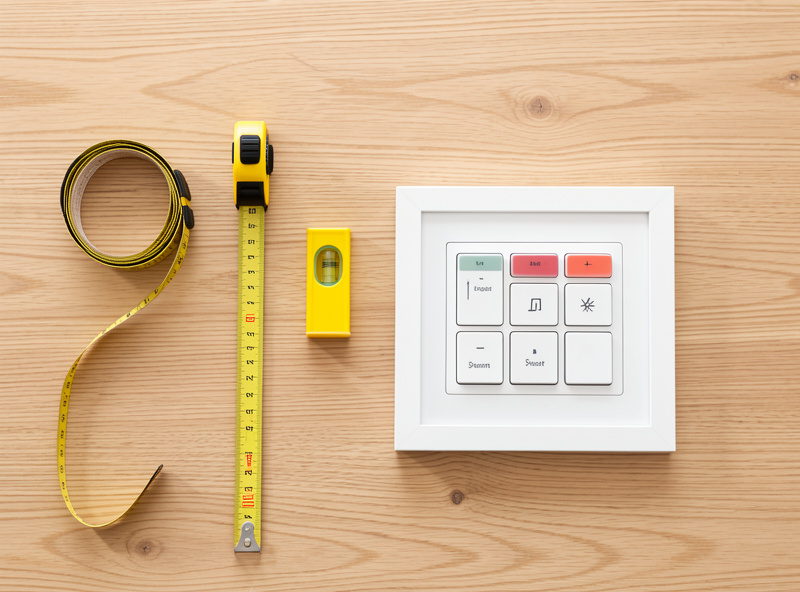
Once you’ve measured your seated and standing elbow heights — and you should, because guessing the height is how a frame becomes a permanently-seated desk or a permanently-standing one — a controller with memory presets is what turns those numbers into a habit. One button to your sit height, one to your stand height, no hunting. It sounds minor. It’s the difference between actually using the sit-stand range and leaving the desk parked at one height for weeks because changing it is a fiddle. Cheap frames often skip presets; I’d treat them as close to non-negotiable on a desk you’ll use daily.
Duty cycle: the spec that explains the noise and the heat
Here’s a frame spec almost nobody reads and everybody should: duty cycle. It’s usually written as something like “10% duty cycle, 2 minutes on / 18 minutes off.” Translated, it tells you how long the motors can run continuously before they need to rest to avoid overheating. For a normal desk this is irrelevant — you raise the desk, you lower it, total run time is a few seconds at a stretch. But it quietly explains two things you’ll notice: cheaper frames with lower-rated duty cycles often run their motors hotter and louder, and they’re the ones where the controller occasionally needs a forced reset after a few rapid up-down cycles. I mention it not because you’ll ever hit the limit in normal use, but because a frame that’s honest about a generous duty cycle is usually a frame with better motors, and motor quality is exactly what you’re paying for in the lift. When I compared my two frames, the smoother, quieter one was also the one with the more generous duty-cycle spec — that correlation is not an accident.
Travel speed lives in the same conversation. A frame that moves at a leisurely pace is one you’ll be tempted not to adjust, which defeats the entire purpose of a sit-stand desk. Faster travel under load is a real quality-of-life difference, and it’s another thing dual motors do better than single. None of this is a number to obsess over on the spec sheet, but if you ever get to try a frame in person, time how long it takes to go from sit to stand. A frame that takes its time getting there is a frame that’ll spend most of its life parked at one height.
The mistakes I see people make over and over
After enough years of this, the regret purchases all rhyme. The most common one is buying for the top and inheriting the frame as an afterthought — picking the desk for its bamboo finish and discovering the legs sway at standing height. The second is ignoring height range at both ends: tall people buy a frame that maxes out below their standing elbow and end up standing hunched, while shorter people buy one whose minimum is above their correct seated height and end up perched. Measure your real seated and standing elbow heights first, then make the frame clear both — that single step kills most of the regret before it happens.
The third recurring mistake is treating the weight rating as a target instead of a ceiling, then wondering why the lift strains or the top sags toward its limit. The fourth is skipping memory presets to save a little money, then never actually using the sit-stand range because changing the height by holding a button is just enough friction to stop you. And the fifth — the one I have the most sympathy for — is buying new at full price when a barely-used office frame with three-stage legs was sitting on the local second-hand market for a third of the cost. The frame is the durable part. Buying it used, checked properly, is the smartest-money move in the whole category, and it’s the one the people selling new desks will never suggest to you.
What the research actually says (cited as research, not advice)
Because this is a comfort-and-geometry site and not a medical one, I’ll keep this tight and sourced. Occupational-health and ergonomics bodies generally frame sit-stand desks as a way to vary your posture through the day rather than as a cure for anything — the consensus emphasis is on movement and change, not on standing as a treatment. The Cornell University Ergonomics Web is a solid, non-commercial starting point if you want to read the geometry and posture-variation guidance yourself rather than take a furniture company’s word for it. What I can tell you from my own setup log is the measurable part: a frame that gets to your correct standing number, holds steady there, and is easy to switch to is a frame you’ll actually move at. That’s geometry and behaviour, not a health claim.
How to put it all together
If you take one thing from this guide, make it the order of operations. Decide your real standing height first by measuring your standing elbow, then filter frames by whether they reach it with your top on. Filter again by leg stages and motor count based on how tall you are and how heavy your load is. Run the wobble test at full height before you commit. Treat the weight rating as a ceiling, not a target. And seriously consider the used market or a DIY top if value matters more to you than a warranty. Do that, and you’ll buy the frame once instead of twice — which is the whole point of measuring before you spend.
Every bench I run gets measured before it gets used; the desk just happens to be the bench I live at. The frame is the part of that bench you’ll feel every hour you work — so it’s the part worth getting right.
What matters most when buying a standing desk frame?
Stability at full standing height with your real load. That’s driven by leg stages (three-stage is stiffer at height than two-stage) and motor count. The top, colour, and brand sticker matter far less than how the legs behave when extended.
Are two-stage or three-stage legs better?
Three-stage legs reach a taller maximum and are generally stiffer at full extension because the sections overlap more. They suit tall users and heavy loads. Two-stage legs are fine for lighter, lower setups but tend to sway near the top of their range.
Do I need a dual-motor standing desk?
For a real working desk with multiple monitors or arms, dual motor lifts more smoothly and handles off-centre loads better. A single-motor frame is fine for a light, symmetrical laptop setup and saves money you can spend elsewhere.
How much weight can a standing desk frame hold?
Ratings are static, balanced-load figures and should be treated as a ceiling, not a target. Remember the top counts against the rating before you place anything. Stay well under the number so there is margin for off-centre and dynamic loads.
Is buying a standing desk frame and adding my own top worth it?
Often yes. A good DIY top can outclass factory laminate for less and gives you exact dimensions. Watch top thickness, since it eats into both maximum height and usable weight capacity, and make sure the bolt pattern lines up.
Is a used standing desk frame a good buy?
Frames are mostly metal and motors, so they hold up well and the used market offers strong stability per krona. Inspect carefully: run the full travel listening for grinding, confirm leg stages and presets work, and accept there is no warranty.
- The Correct Desk Height: A Measurement-First Setup Guide
- Standing Desk Height: Set It Right or It Becomes a Shelf
Related Guides in This Cluster
The full standing-desk-frames cluster, in the order most readers follow:
- Standing Desk Wobble at Height: The Physics and the Fix
- Dual Motor vs Single Motor Standing Desk: What You Actually Feel
- Standing Desk Weight Capacity: The Truth About the Rating
- DIY Standing Desk Top on a Frame: The Smart-Value Route
- Used Standing Desk Checklist: Six Tests Before You Buy
- Ergonomic Chair Guide: Fit a Chair to Your Body, Not a Star Rating
- Ergonomic Chair Fit by Body Measurements: The Method
- Chair Seat Depth and the Femur Rule
- Buying a Used Steelcase or Herman Miller Chair: What to Check
- FlexiSpot E7 Wobble Test: What We Measured at Every Height
